VTC billing One invoice per paid ride
Paid rides become invoices with a VAT breakdown, sent through your Pennylane account.

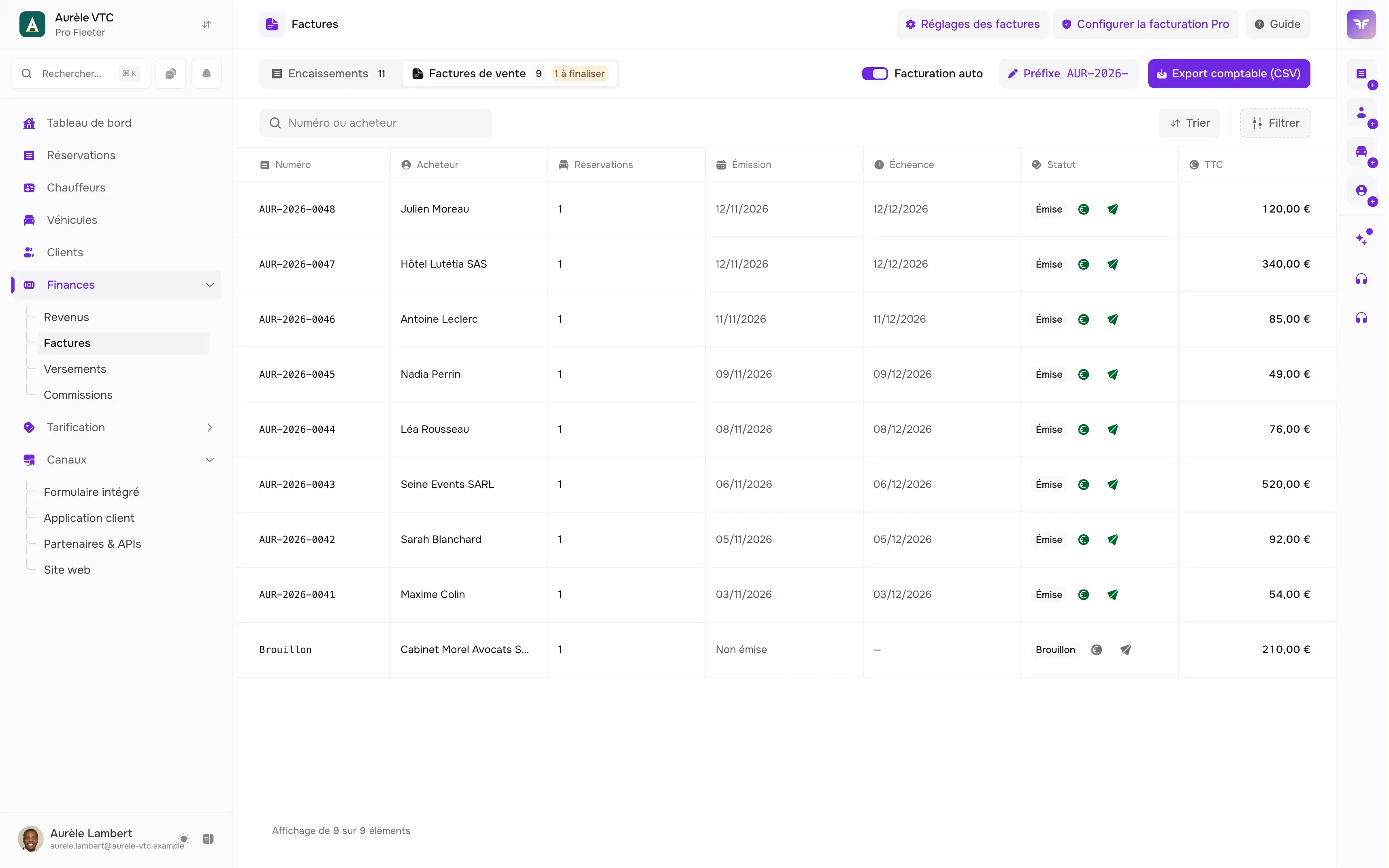
Invoicing without re-typing
The ride and customer details are already in Chauffleet: no need to type them again.
-
Invoices made by hand
Retyping the ride and customer into a Word or Excel template takes hours every month.
-
VAT to recalculate
For each invoice, you redo the VAT breakdown and check the total.
-
Scattered payments
Card, cash, transfer: without a shared list, you lose track of which ride is paid.
What billing does
From the paid ride to the transmission, here are the steps.
-
A list of receipts
Each paid ride appears in the list, whatever the payment method: card (Stripe), cash, transfer.
-
Automatic invoicing
Turn it on and each paid ride is invoiced and issued without intervention. Otherwise you invoice by hand from the "To invoice" list.
-
PDF invoice with VAT breakdown
The invoice carries your legal details, the customer's intra-community VAT number and the VAT breakdown, with a preview before issue.
-
Credit notes
Correct an issued invoice with a credit note attached to the same document.
-
Transmission through Pennylane
Connect your Pennylane account. Each transmission shows its platform, reference, acknowledgement, last attempt and number of tries.
-
CSV export
Export number, type, date, customer, SIRET, intra-community VAT, totals excluding and including VAT, payment and transmission status.
We answer your questions.
Yes, through a connection to your Pennylane account. Once the connection is on, you send your invoices from Chauffleet and keep track of your billing and payments. A compatible Pennylane account is required.
Turn on automatic invoicing: each paid ride (card, cash, transfer...) is invoiced and issued without intervention. When it is off, rides stay to be invoiced by hand from the "To invoice" list.
Rides paid by card (Stripe), cash or transfer appear in the list of receipts.
Yes. Credit notes are a document type next to invoices.
Yes, as CSV: number, type, issue date, customer, SIRET, intra-community VAT, totals excluding VAT, VAT and including VAT, currency, payment and transmission status.
Professional billing is turned on from the receipts screen with a wizard (legal identity, mode, numbering). It requires a Pro plan.
How do we get started?
Try it.
Create your account and take your first booking today.
- 2 minutes
- 14 days free
- No commitment
Talk it over.
Show us your business, we show you Chauffleet with your own cases.
- With an expert
- Free
- No commitment